All features
FamilyTree is one window: a list of people on the left, nine tabs on the right. The interface is in English and Dutch; switch at the top right, and FamilyTree remembers your choice.
People list and toolbar
Every person in the file, searchable by name, nickname, birth year and birthplace. The list stays fast with thousands of people. Above it: new, open, save, save as, backup, undo and redo (thirty steps deep) and add person.
Every save first copies the previous version to a .bak file, and the new
file is written through a temporary file, so a crash halfway through can never leave
half a file behind. Backup writes one ZIP next to your file, named with
today's date, holding the file and every photograph it refers to. Closing the window with
unsaved changes asks whether to save them first.
Person
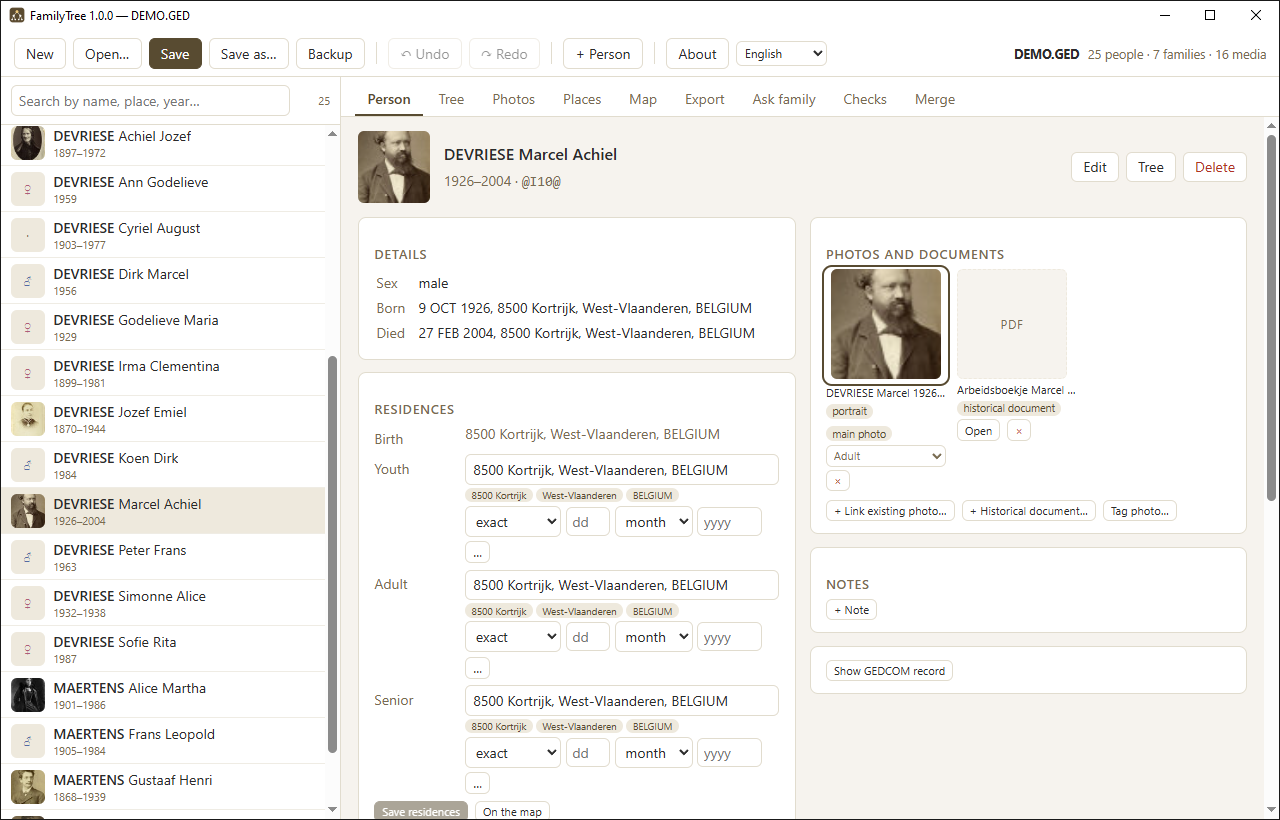
Everything about one person on one screen: name, nickname and sex; birth, baptism, death and burial with date and place; parents and siblings; spouses and children per family, with marriage and divorce dates; residences per life phase; the photo gallery; the group photographs they appear in; notes; and, if you want it, the raw GEDCOM record.
Dates all go through the same control: a qualifier (exact, about, before, after,
estimated, calculated) plus day, month and year. You can also simply type
31/12/1946. Anything that does not fit, such as between 1899 and
1901, goes in a free-text field.
Notes take as much free text as you like: a source, a question still
open, what an old letter said. Every note travels in the GEDCOM file as a
NOTE, so it reaches other programs too.
+ Historical document attaches a deed, a letter, a newspaper clipping or
a scanned PDF to a person. The file is copied into images/ just like a
photograph, with _HD and a sequence number in its name, so you can see at a
glance who it belongs to. When it is not an image, the screen shows its extension with an
Open button that hands it to your own program.
Tree
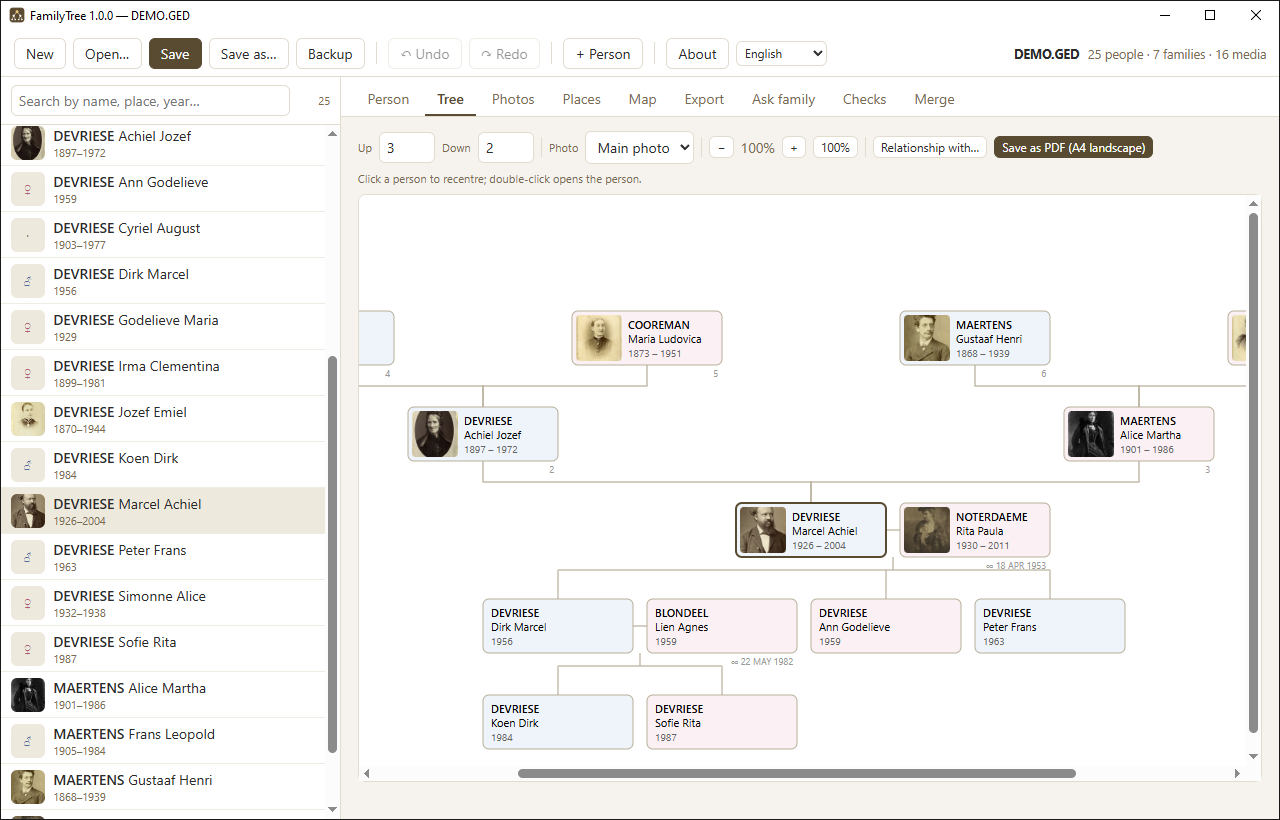
An hourglass around the selected person: ancestors above with their Kekulé numbers, descendants below with their partners. Zoom, show more or fewer generations, click to recentre, double-click to open someone. Save as PDF fits the whole tree on one A4 in landscape.
How are two people related?
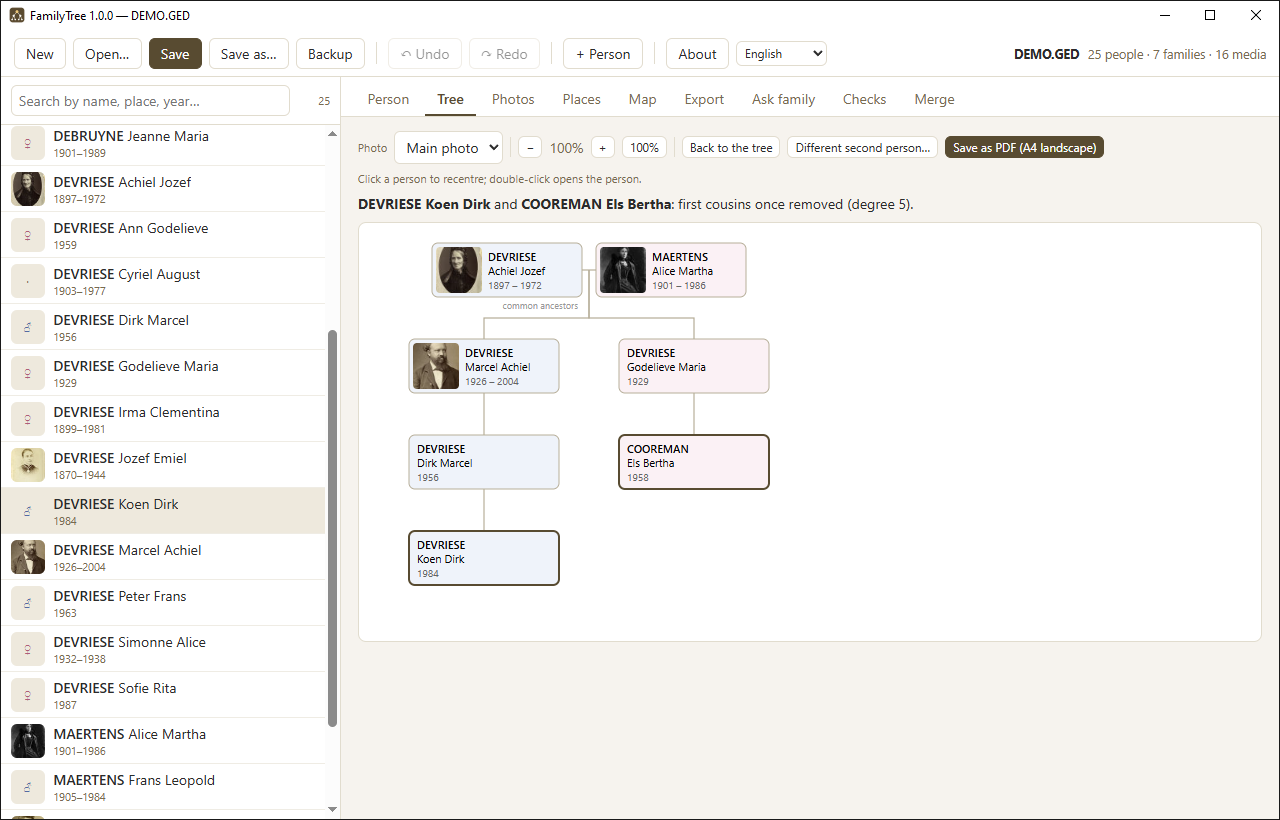
Relationship with… asks for a second person and redraws the tree around what connects them: their nearest common ancestor at the top — with that ancestor's partner when both descend from the couple — and below it the two lines of descent side by side, one to each person. Above the tree the relationship is spelled out, such as second cousins or first cousins once removed, with the degree of kinship. When the same couple turns up more than once in someone's ancestry (pedigree collapse), FamilyTree says how many other common ancestors are just as close.
Photographs
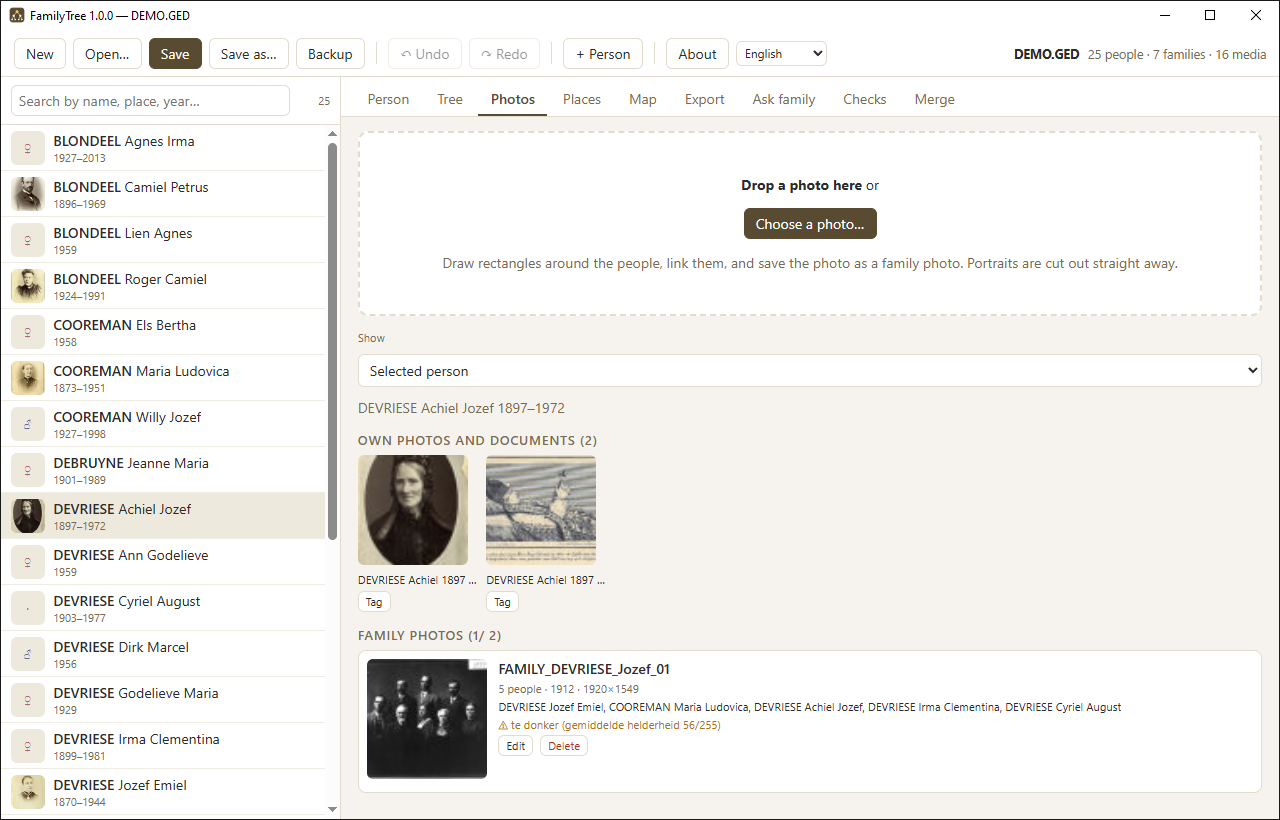
- Save portrait crops one person out. A checkbox removes the background so the portrait stands free in the tree and in the PDFs. The untouched original is always kept.
- Save family photo keeps the photograph as a whole and remembers where each tagged person is in it.
- Find faces detects the faces itself and proposes names based on the portraits already in the file. Above 45 per cent similarity a proposal counts as certain, between 30 and 45 per cent as likely. You confirm with Enter and move on to the next face. Nothing is ever linked without you.
- Possibly also in this photo suggests relatives of the people you have already confirmed, filtered to those alive at the time.
- The overview lists every family photograph with warnings about sharpness, resolution, exposure, and dates that cannot be right.
Places
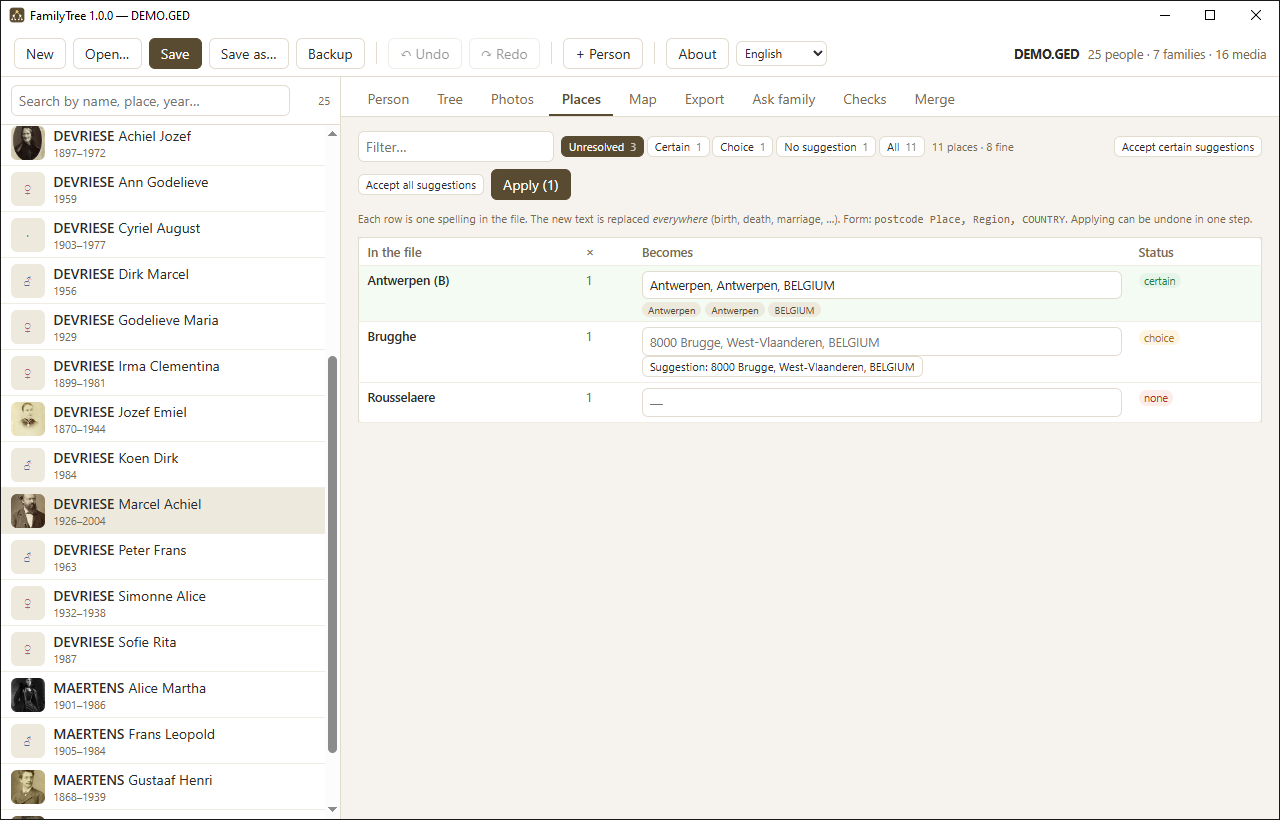
A table of every spelling in your file, how often it occurs, and what FamilyTree would make of it. The built-in gazetteer knows postcodes and municipalities for Belgium, the Netherlands, France, Luxembourg and Germany, plus every place in the world with more than a thousand inhabitants. Historical spellings, Dutch exonyms for foreign cities and plain typing errors are all recognised.
Filter by unresolved, certain, choice or no proposal; accept all the certain ones in one click; then apply everything as a single step you can undo at once.
Towns that changed their name are recognised too: Batavia is today's Jakarta, Leopoldstad is Kinshasa, Elisabethstad is Lubumbashi. FamilyTree proposes the modern name — that is the one on the map — and offers to keep the name from the record as a note on everyone it concerns: originele plaatsnaam: Batavia. Nothing is lost.
Map
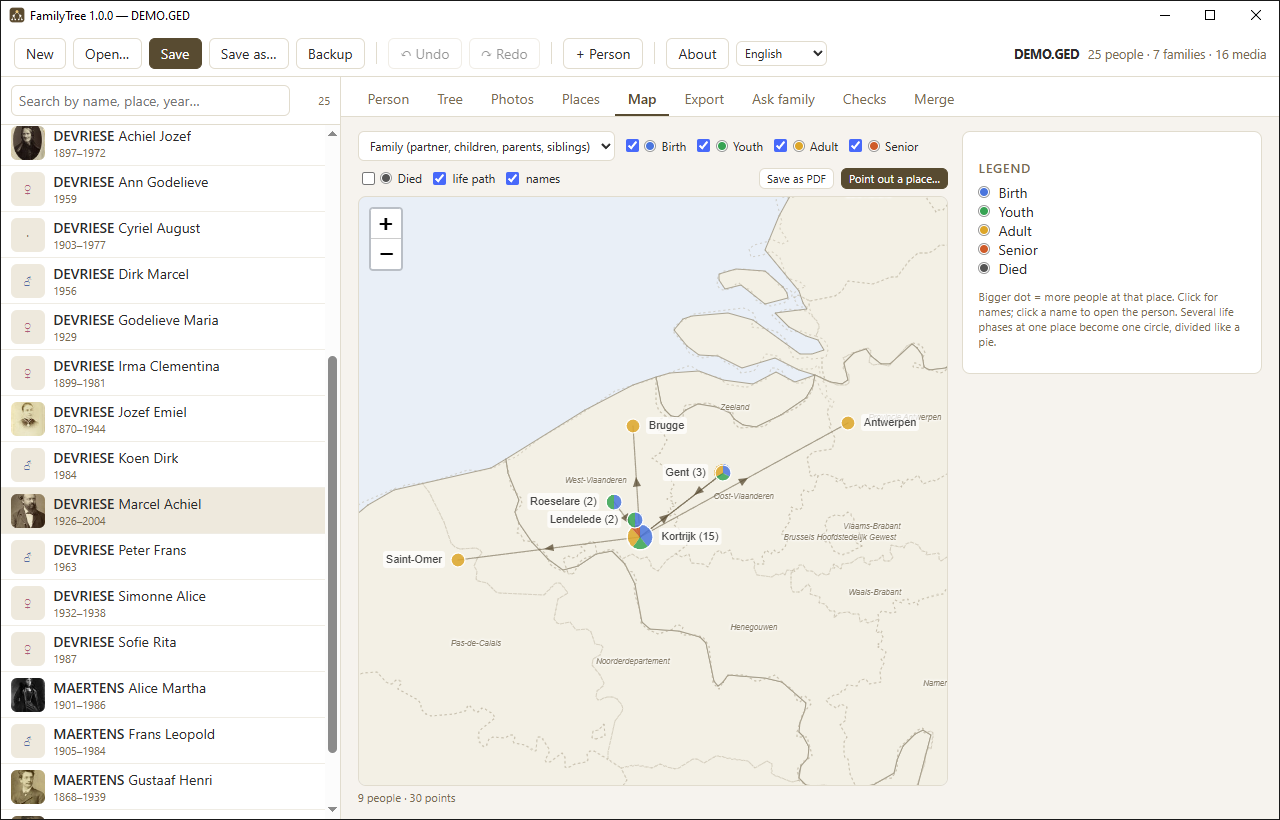
The places from your file on a world map, coloured per life phase: birth, youth, adulthood, later life and death, with the life path drawn between them. Choose whose places you see: this person, this family, the ancestors, the descendants or everyone. Places without coordinates are listed separately with a link to the Places tab.
The map works entirely offline — country and province borders ship with the program. If a place is not in the gazetteer, you point at it on the map yourself.
Export
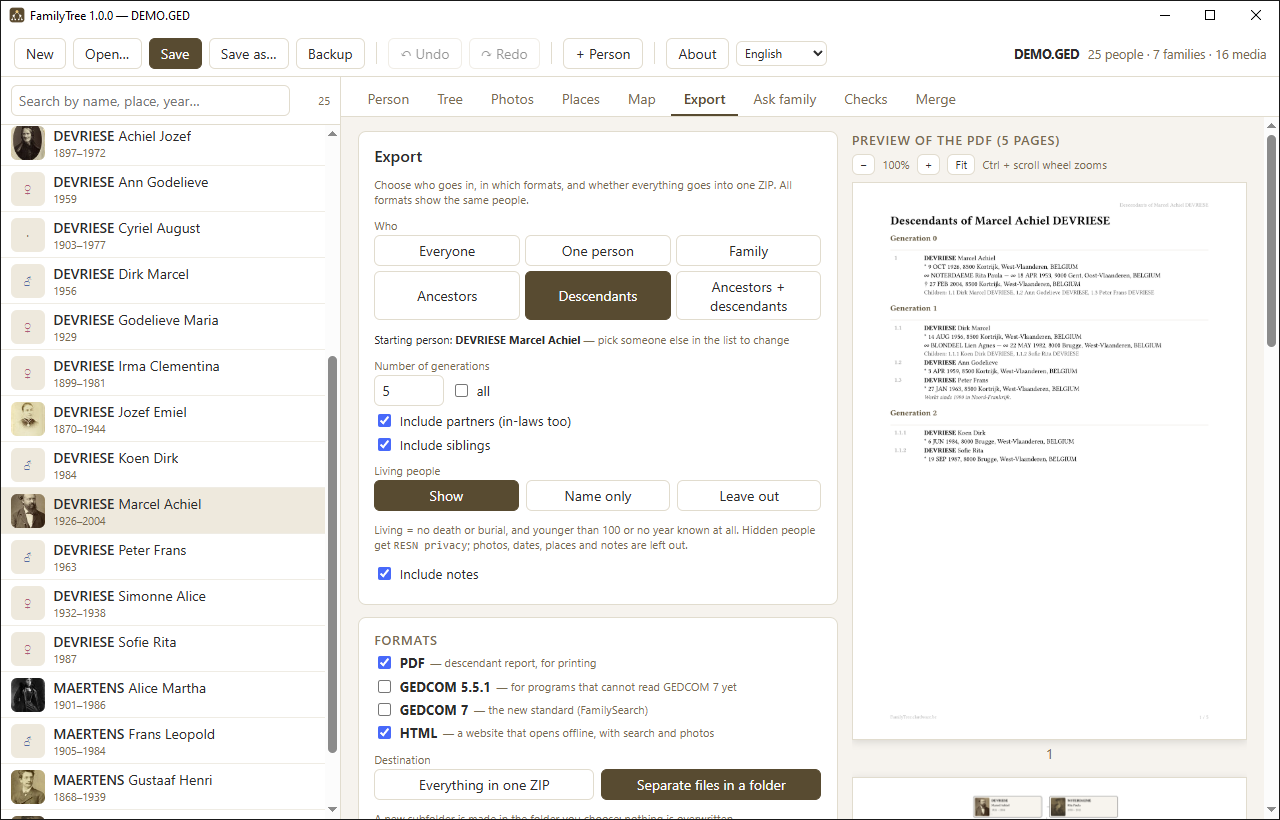
Choose who goes in — everyone, one person, a family, the ancestors, the descendants or both, with or without spouses and siblings — and in which formats: PDF, GEDCOM 5.5.1, GEDCOM 7 and an HTML site that opens without internet. As separate files in a folder or together in one ZIP; GEDCOM 7 on its own becomes a GEDZIP. Living people can be shown, reduced to their name, or left out. Photographs can be switched on or off per kind, down to “family photographs only”.
The PDF is an ancestor chart, a descendant report or a register of names. Tick what goes in: a textual overview, a graphical tree on A4 landscape, portraits in that tree, a fan chart, a map of the places with a list per life phase, and the family photographs any of those people appear in — each with numbered frames and a legend. A live preview sits beside the options.
Ask family
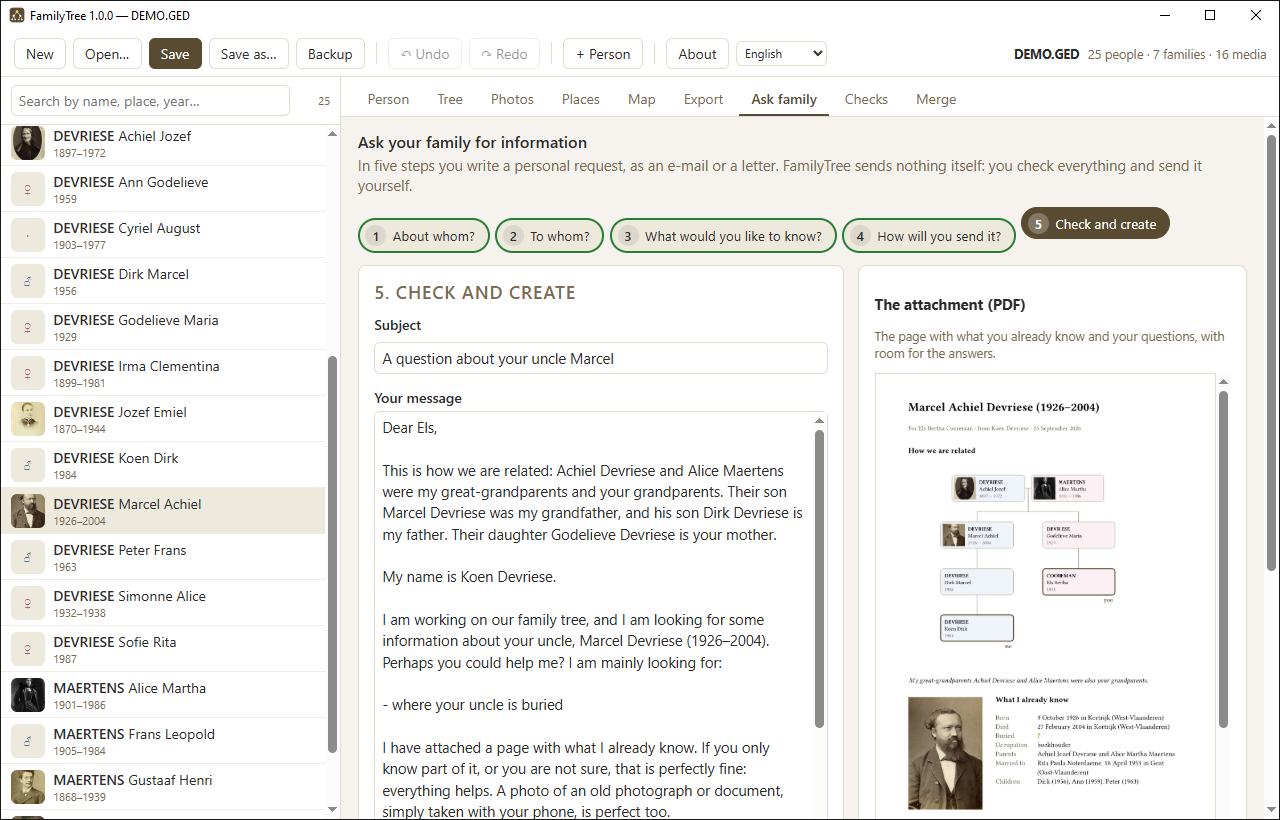
Often the answer is in someone else's photo album. Ask family helps you write to a relative in five plain steps: about whom, to whom, what you would like to know, how to send it, and a last look. FamilyTree lists what is still missing for that person — a photograph, a date of birth, the parents, where someone is buried — for one person or several at once, such as a couple with their children — and turns your choice into a friendly letter in your own name, informal or formal, in English, Dutch, German, Italian, Spanish, French, Portuguese, Chinese, Hindi, Arabic, Bengali or Indonesian. When you and the recipient are both in the tree, it says how you are related: my grandparents were also your great-grandparents.
With it comes a one-page attachment: what you already know, a small diagram of how you are related, and your questions with room to write the answers. An e-mail opens as a draft in your own e-mail program, so it comes from your own address and you press Send yourself; a paper letter is a PDF to print; for WhatsApp the text is copied for you. FamilyTree never sends or reads mail. A tip at every step explains what gets answers: two or three concrete questions, no links, a personal sentence, a stamped envelope for older relatives.
Checks
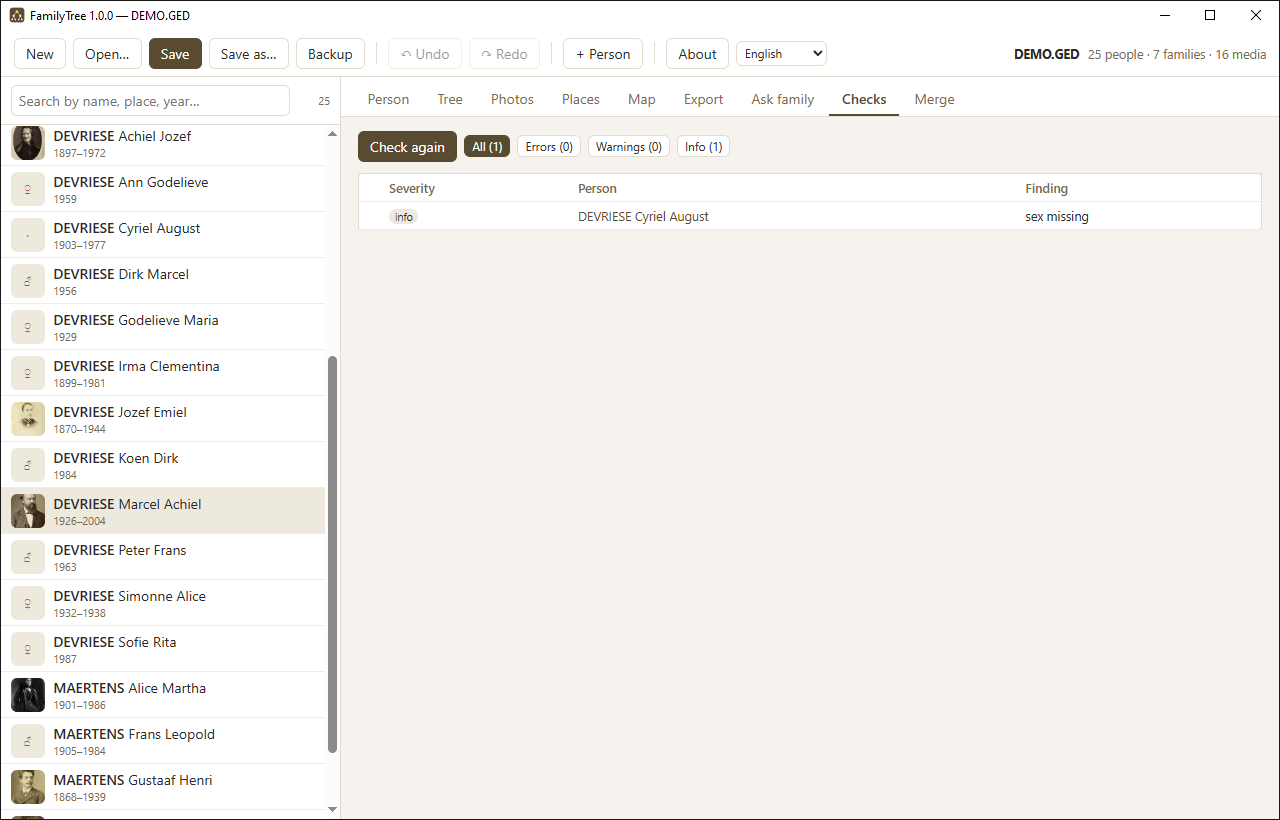
A list of what is wrong or suspicious: a child born before its parents, a death before a birth, references that lead nowhere. Click a name to jump there. It re-runs itself after every change.
Merge
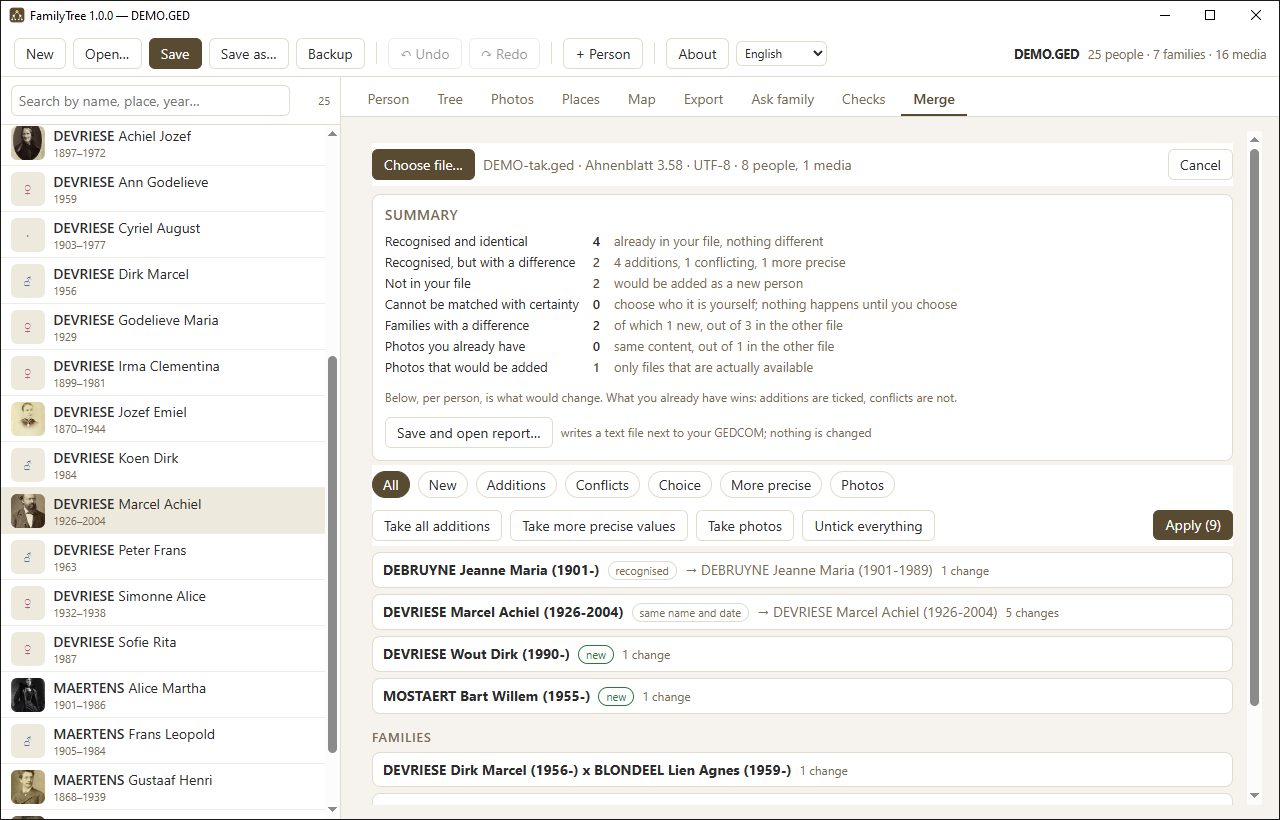
Place a second GEDCOM file beside yours. FamilyTree looks for each person in turn — first on the internal identifier most programs carry, then on name and birth date, and finally on similarity, where a matching father or spouse tips the balance. When it is not sure, it does not choose: it puts the options to you.
The result is a foldable list per person showing, field by field, what would change. Additions arrive ticked, contradictions do not: what you already have always wins unless you decide otherwise. Photographs from the other file are copied in and renamed by FamilyTree's own rules; photographs you already have are recognised even under a different name or at a different resolution. When the other file holds a clearly sharper copy, it is added as an extra photograph: what you had stays, and stays the main photo.
Dates and places are reconciled first, or every difference in spelling
would show up as a contradiction. 1977-07-20 and 20 JUL 1977
are the same day, and the built-in place list knows that Duinkerke and
Dunkerque, Nord, FRANCE are the same town, as are Kortrijk and
8500 Kortrijk, West-Vlaanderen, BELGIUM. Only a certain match counts: in
doubt it stays a difference, because silently equating two places is worse than one
report too many.
The same tab doubles as a way to check an older backup. At the top sits a summary: how many people are exactly the same, how many differ, and above all how many exist only in that other file. If that last number is zero, FamilyTree says so in as many words. One click writes the whole overview to a text file without changing anything at all.
Afterwards a report is written next to your file listing everything that was taken over and everything that was not, and why. The whole merge is a single undo step, and a timestamped copy is made before anything is touched.